
Your own Minecraft server on a VPS runs around the clock and does not depend on whether your computer is turned on. Friends can join at any time, and you decide which rules, plugins and settings the server has. In this article we will install a server for Minecraft Java Edition on the Paper core, set up its autostart, open the port, add players to the whitelist and set up world backups. We repeated every step on a test server with Debian 12. At the time of testing, the current Minecraft version was 26.3 and the core was Paper 26.3.
How a Minecraft server works
A Minecraft server is a Java program. It stores the world, calculates everything that happens in it and sends the changes to the connected players. Mojang publishes an official server, but for your own server most people choose Paper. It is a server for Java Edition that is built to run noticeably faster than the official one, and it supports plugins. Players join Paper with the regular game, and they do not need to install any mods. To learn how Paper differs from other server cores and how to install plugins, see the article on Minecraft server cores and plugins.
The main requirement of the server is memory. Java reserves the amount you specify at launch with the -Xmx parameter, plus a little on top for its own needs. On our server with -Xmx2G the process took 2.4 GB. The more players, plugins and loaded chunks of the world there are, the more memory you need, so it is best to start with 2–4 GB for the game and add more if necessary.
The second important point is the Java version. Each new Minecraft version requires an ever newer Java. Minecraft 26.1 and newer need Java 25, while the standard Debian 12 repositories only have Java 17. That is why we will install Java from the Eclipse Adoptium repository.
Java Edition only
This article is about a server for Minecraft Java Edition, the version played on a computer. Bedrock Edition, played on phones and consoles, needs a different server.
What you will need
- A server with Debian 12 or Ubuntu 24.04 and at least 4 GB of memory, for example the DE-RZ9-2 plan. If you do not have a server yet, order one by following the instructions.
- An SSH connection, for example through Termius. The commands are run as
root. - A licensed Minecraft Java Edition for you and for your players. By default the server checks every player's account.
Step 1. Install Java 25
Add the Eclipse Adoptium repository and install Java 25 from it. The commands are the same for Debian and Ubuntu.
apt install -y wget apt-transport-https gpg
wget -qO - https://packages.adoptium.net/artifactory/api/gpg/key/public | gpg --dearmor | tee /etc/apt/trusted.gpg.d/adoptium.gpg > /dev/null
echo "deb https://packages.adoptium.net/artifactory/deb $(awk -F= '/^VERSION_CODENAME/{print$2}' /etc/os-release) main" | tee /etc/apt/sources.list.d/adoptium.list
apt update
apt install -y temurin-25-jre
Check the version.
java -versionThe output should contain the line openjdk version "25…". On our server, version 25.0.4.1 was installed.
Step 2. Create a user and download Paper
Running the server as root is unsafe. If someone finds a vulnerability in the Minecraft server or in a plugin, the attacker gets full access to your VPS. So we will create a separate minecraft user for the game, with the folder /opt/minecraft. You can read more about users in the article on Linux users.
useradd -r -m -d /opt/minecraft -s /bin/bash minecraft
apt install -y screen
You will need the screen program to get into the server console while the server runs in the background.
Now download Paper. Open the papermc.io/downloads/paper page, copy the link to the latest build of the version you need and download the file under the name paper.jar. We downloaded build 209 for Minecraft 26.3.
cd /opt/minecraft
curl -fsSL -o paper.jar "https://fill-data.papermc.io/v1/objects/0a056c7648cfa0ca8d9b8c833a2bd2e1313ed4f1393a5125dd3444a4ee257e22/paper-26.3-209.jar"
chown minecraft:minecraft paper.jar
The last command hands the file over to the minecraft user, otherwise the server will not be able to work with it.
Step 3. Start the server for the first time
Switch to the minecraft user and start the server manually.
su - minecraft
java -Xms2G -Xmx2G -jar paper.jar --nogui
On the first start, Paper downloads the game files, creates its settings and stops with the message You need to agree to the EULA. This is how the server asks you to accept the Minecraft license agreement.

The server waits until you accept the license
Accept the agreement and start the server again.
sed -i 's/eula=false/eula=true/' eula.txt
java -Xms2G -Xmx2G -jar paper.jar --nogui
When the Done line and the > prompt appear, the server is ready. On our server, the first start, including the creation of the world, took 12.6 seconds.
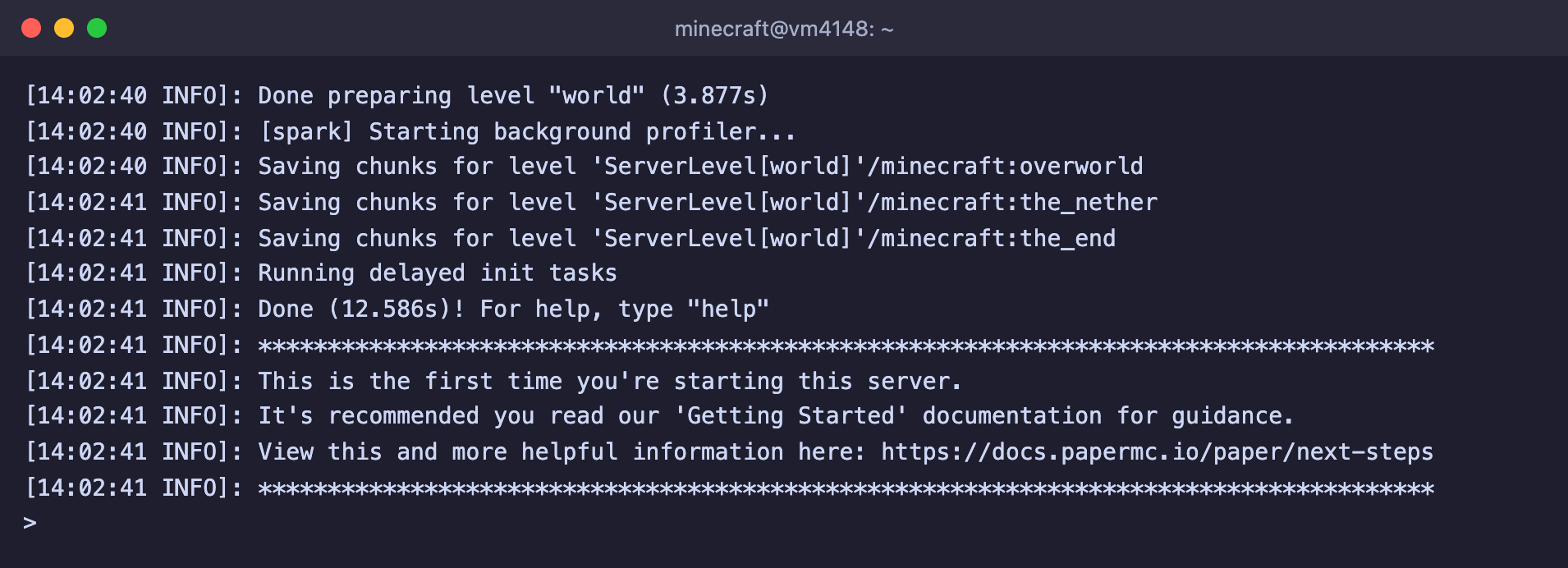
The server is running and waiting for commands
Stop the server with the stop command in its console and return to root with the exit command. From here on, the server will start by itself.
Step 4. Set up autostart
To keep the server running in the background, starting together with the VPS and coming back up after a crash, we will turn it into a systemd service. Services are covered in detail in the article on systemd.
First, create the start script.
nano /opt/minecraft/start.sh#!/bin/sh
# Paper with 2 GB of memory and the Java flags recommended by PaperMC
exec java -Xms2G -Xmx2G -XX:+AlwaysPreTouch -XX:+DisableExplicitGC -XX:+ParallelRefProcEnabled -XX:+PerfDisableSharedMem -XX:+UnlockExperimentalVMOptions -XX:+UseG1GC -XX:G1HeapRegionSize=8M -XX:G1HeapWastePercent=5 -XX:G1MaxNewSizePercent=40 -XX:G1MixedGCCountTarget=4 -XX:G1MixedGCLiveThresholdPercent=90 -XX:G1NewSizePercent=30 -XX:G1RSetUpdatingPauseTimePercent=5 -XX:G1ReservePercent=20 -XX:InitiatingHeapOccupancyPercent=15 -XX:MaxGCPauseMillis=200 -XX:MaxTenuringThreshold=1 -XX:SurvivorRatio=32 -jar paper.jar --noguiThe values -Xms2G -Xmx2G set the memory for the game. If your server has more memory, increase both values, but leave at least 1–1.5 GB for the system.
Next comes the stop script. It sends the stop command to the console so the server saves the world, and waits until the server shuts down.
nano /opt/minecraft/stop.sh#!/bin/sh
# Sends the stop command to the server console and waits for it to shut down
screen -p 0 -S minecraft -X stuff "stop$(printf '\r')"
while kill -0 "$MAINPID" 2>/dev/null; do sleep 1; doneMake the scripts executable and create the service.
chmod +x /opt/minecraft/start.sh /opt/minecraft/stop.sh
chown minecraft:minecraft /opt/minecraft/*.sh
nano /etc/systemd/system/minecraft.service[Unit]
Description=Minecraft server
After=network-online.target
Wants=network-online.target
[Service]
User=minecraft
WorkingDirectory=/opt/minecraft
ExecStart=/usr/bin/screen -DmS minecraft /opt/minecraft/start.sh
ExecStop=/opt/minecraft/stop.sh
Restart=always
RestartSec=10
TimeoutStopSec=90
[Install]
WantedBy=multi-user.targetEnable autostart and start the server.
systemctl daemon-reload
systemctl enable --now minecraft
systemctl status minecraft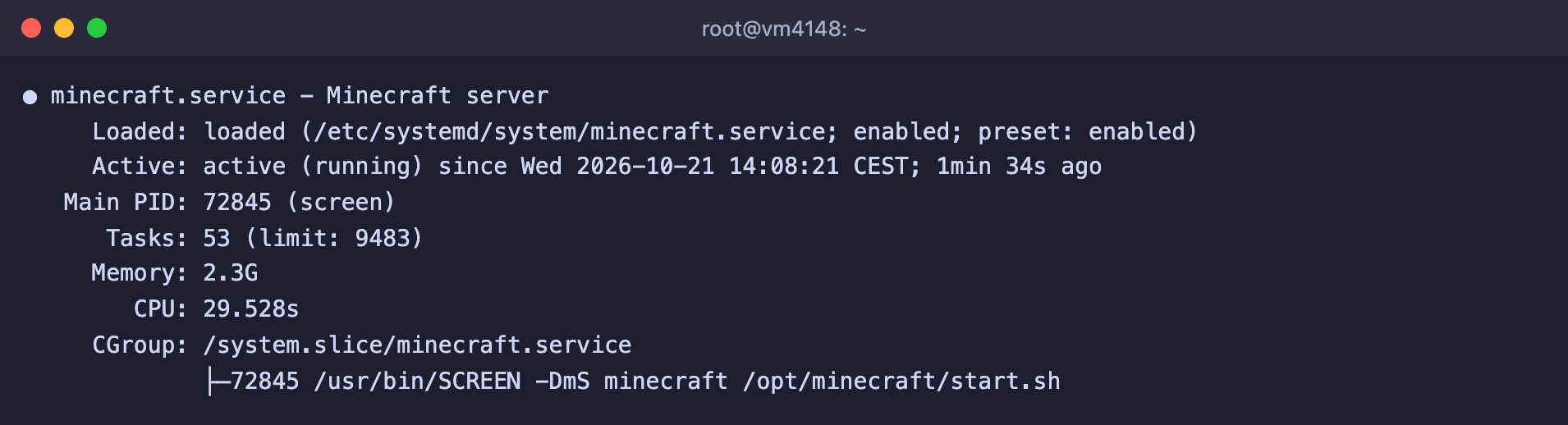
The service is running, with Java started inside screen
From now on, manage the server through systemd.
systemctl stop minecraft– save the world and shut the server down.systemctl restart minecraft– restart it.systemctl start minecraft– turn it on.
We checked that the service brings the server back up after a crash. When we forcibly killed the Java process, systemd started the server again by itself. Keep in mind that because of this, the stop command in the game console also leads to a restart instead of a shutdown. To turn the server off, use systemctl stop minecraft.
Step 5. Open port 25565
Players connect to the server on port 25565. If the UFW firewall is enabled on your VPS, open this port.
ufw allow 25565/tcpOn our server, the server was not visible from outside before this command, and it appeared right after it. You can check the server from the internet on the mcsrvstat.us site by entering the IP address of your VPS. If the server is fine, the site shows its version and the number of players. You can read more about the firewall in the article on UFW.
Step 6. Add players and become an operator
In version 26.3 the whitelist is enabled by default. This means that only the players you add to it can join the server. Everyone else sees a message saying they are not on the whitelist.
Open the server console.
su - minecraft -c "screen -r minecraft"Add yourself and your friends to the whitelist, and make yourself an operator, that is, an administrator with access to all commands. Replace Steve with your in-game name.
whitelist add Steve
op Steve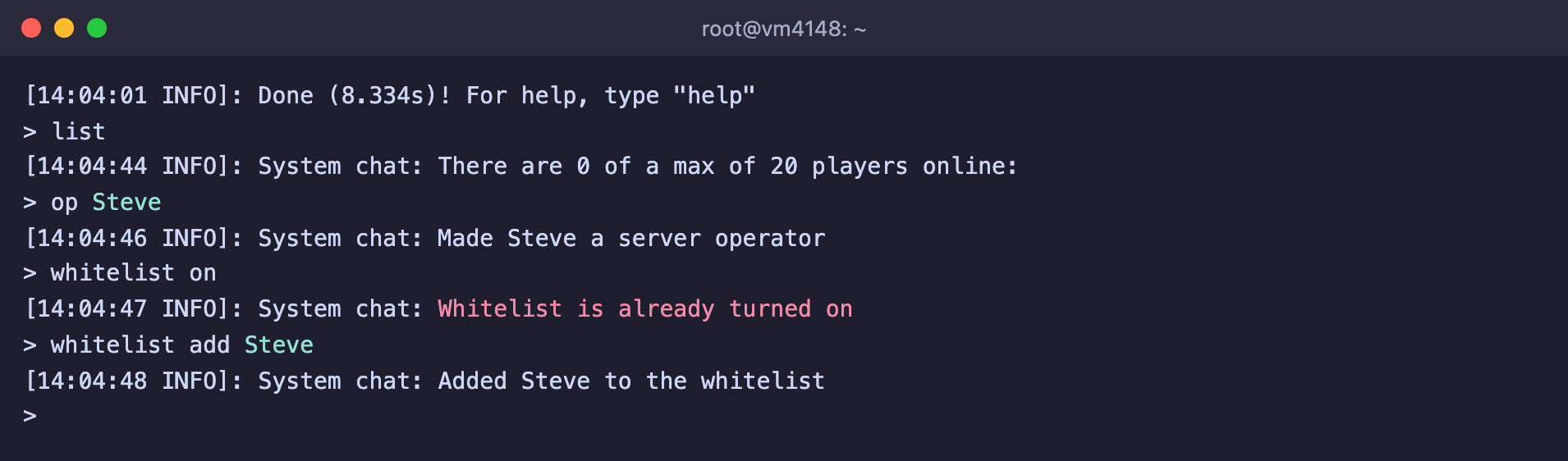
The player is added to the whitelist and has become an operator
To leave the console and keep the server running, press Ctrl + A, then D. You can read more about working with screen in a separate article.
Now launch Minecraft on your computer, open Multiplayer and click Add Server. In the Server Address field, enter the IP address of your VPS and click Done, then select the server in the list and click Join Server. You can leave out the port if it is the default one. Instead of an IP address, it is convenient to use a domain, and how to set that up is described in the article on connecting a domain.
Key server.properties settings
The server settings are stored in the file /opt/minecraft/server.properties. After changing them, restart the server with the systemctl restart minecraft command.
| Parameter | Default | What it means |
|---|---|---|
motd | A Minecraft Server | The server description in the game's server list |
max-players | 20 | How many players can be on the server at the same time |
white-list | true | Let in only the players from the whitelist |
online-mode | true | Check that the player has a licensed Minecraft account |
difficulty | easy | Difficulty. Options are peaceful, easy, normal, hard |
gamemode | survival | Game mode for new players |
view-distance | 10 | How many chunks of the world around the player the server sends data for |
simulation-distance | 10 | How far from the player the world stays active, plants grow and mobs move |
server-port | 25565 | The server port |
If the server cannot handle the load, first reduce view-distance and simulation-distance. The server will then keep in memory and process a smaller part of the world around each player.
Do not turn off online-mode without protection
With online-mode=false the server does not check accounts, and anyone can join under any name, including the name of an administrator. Do not do this without an authentication plugin and a whitelist.
World backups
The world is stored in the /opt/minecraft/world folder. Below is a script that saves the world to disk, packs it into an archive in the /opt/minecraft/backups folder and keeps the 7 latest archives. The game does not stop while the copy is being made.
nano /opt/minecraft/backup.sh#!/bin/sh
# Saves the world, archives it to /opt/minecraft/backups and keeps the 7 latest archives
cd /opt/minecraft || exit 1
screen -p 0 -S minecraft -X stuff "save-off$(printf "\r")"
screen -p 0 -S minecraft -X stuff "save-all flush$(printf "\r")"
sleep 10
mkdir -p backups
tar -czf "backups/world-$(date +%F-%H%M).tar.gz" world
screen -p 0 -S minecraft -X stuff "save-on$(printf "\r")"
ls -1t backups/world-*.tar.gz | tail -n +8 | xargs -r rm --Make the script executable and add it to the schedule of the minecraft user, for example every night at 4:00 AM.
chmod +x /opt/minecraft/backup.sh
chown minecraft:minecraft /opt/minecraft/backup.sh
echo "0 4 * * * /opt/minecraft/backup.sh" | crontab -u minecraft -
We tested the script both manually and on schedule, and both times the archive appeared. You can read more about scheduling in the article on cron. Copies on the same server will not help if the server itself is lost, so from time to time download the archives to your own computer or send them to another server, for example with the rsync command.
Frequently asked questions
Minecraft 26.1 and newer requires running the server with Java 25 or above
The server is running on a Java version that is too old. We got this message when we started Paper on Java 17 from the standard Debian 12 repository. Install Java 25 as described in step 1.

Paper tells you which Java version is required
You need to agree to the EULA in order to run the server
The license agreement has not been accepted. Open the eula.txt file in the server folder and replace eula=false with eula=true.
You are not white-listed on this server!
The player is not on the whitelist. Add them with the whitelist add Name command in the server console. The game shows this message in the player's language.
Unable to connect, connection timed out
- Check that the server is running with the
systemctl status minecraftcommand. - Check that port 25565 is open in the firewall with the
ufw statuscommand. - Check the server on the mcsrvstat.us site. If it shows up there, the problem is on the player's side.
FAILED TO BIND TO PORT
The port is already in use. Most often this means the server is already running, for example as a systemd service, while you are starting a second one manually. That is exactly how we got this error. Stop the extra copy or set a different port in server-port.
Incompatible client! Please use 26.3
The player's game version does not match the server version. In the launcher, choose the same version as the one shown in the message.
Our resources
Telegram channel: https://t.me/f3cloud_news
F3 Cloud: https://f3cloud.com